How to
Setting your wall
The standard CaD setup for battlefield play.
The standard
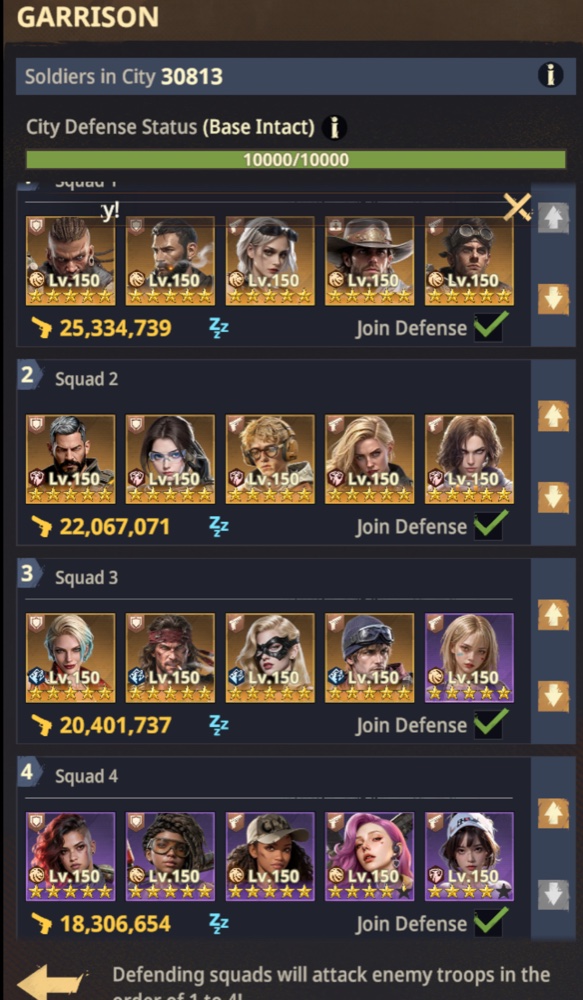
Squads 1 and 2 only on the wall. You attack with 1 and keep 2 on the wall.
1
AttacksGoes out. This is the squad you send.
2
StaysHolds the wall. It does not leave.
-
 Screenshot 1
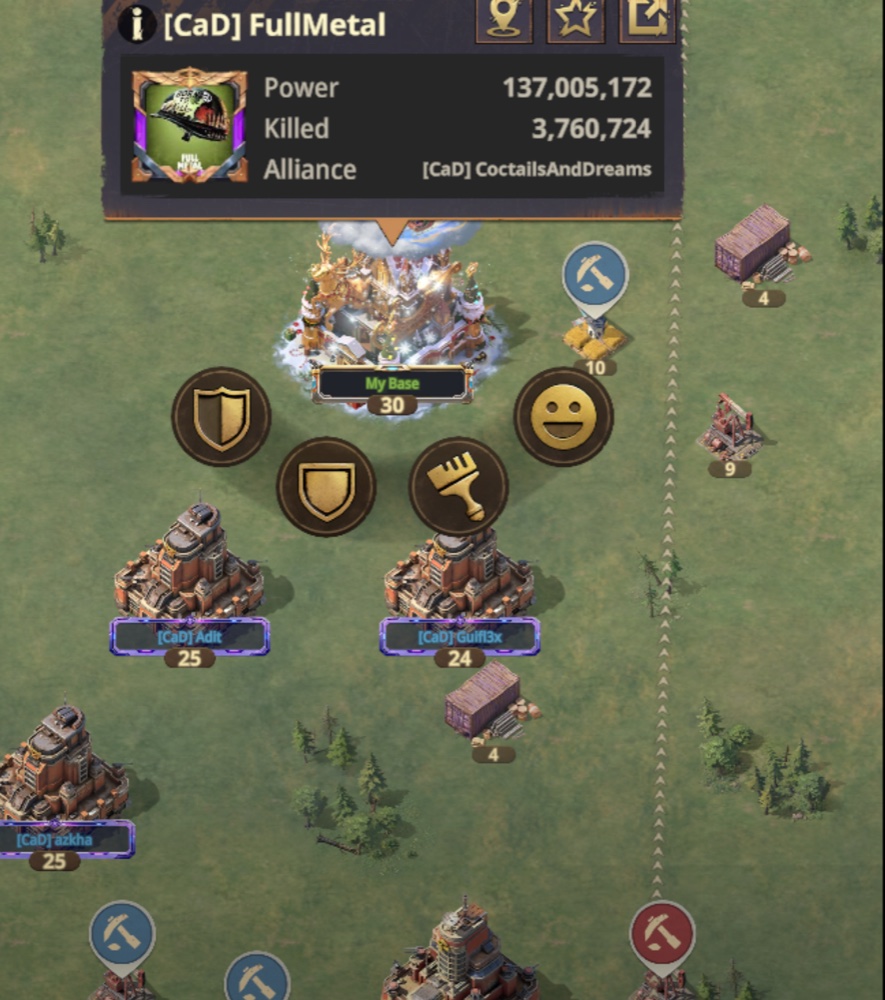
Tap your base. The ring of icons comes up. Tap the shield.
-
 Screenshot 2
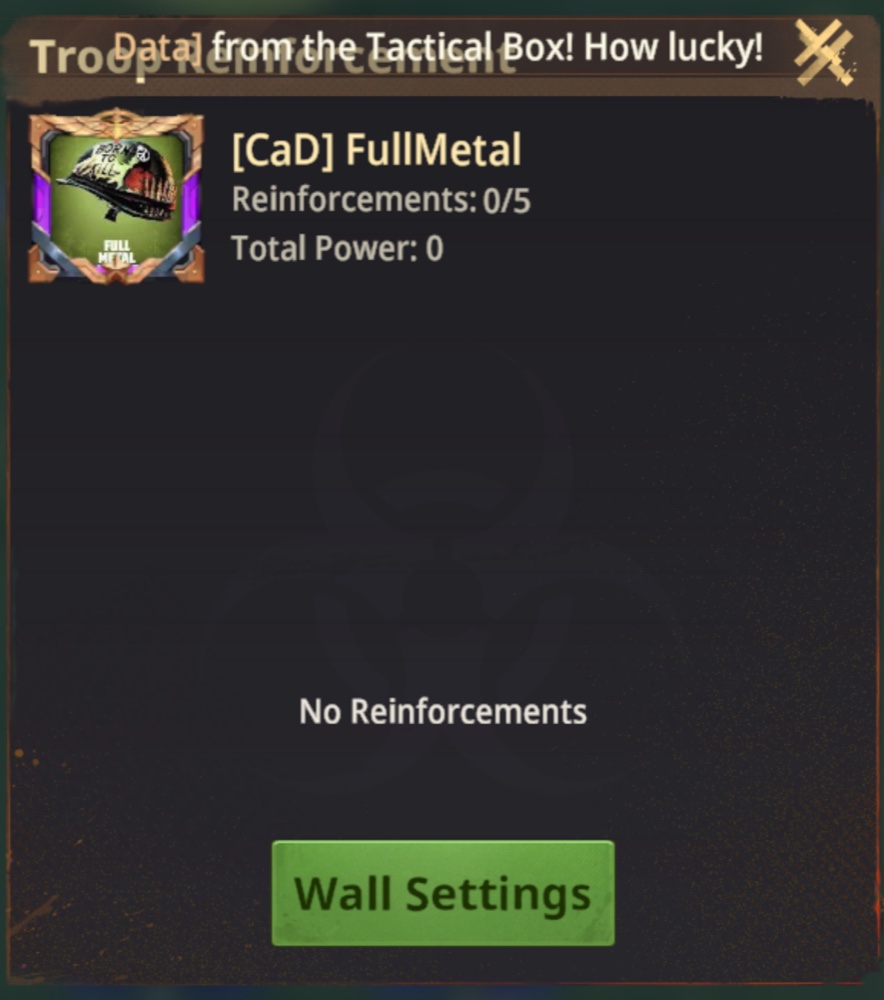
Troop Reinforcement opens. Tap the green Wall Settings button at the bottom.
-
 Screenshot 3
Garrison. Four squads, each with a Join Defense tick. Tick 1 and 2 only — untick 3 and 4. Defenders fight in order 1 → 4, so put your strongest at 1 using the up/down arrows.